> ## Documentation Index
> Fetch the complete documentation index at: https://docs-dev-feat-docs-5540.mintlify.site/llms.txt
> Use this file to discover all available pages before exploring further.

> Learn how to configure your JWT Connection to sign, verify or decode JSON Web Tokens.

# JWT Vault Connection

## Configure your JWT Vault connection

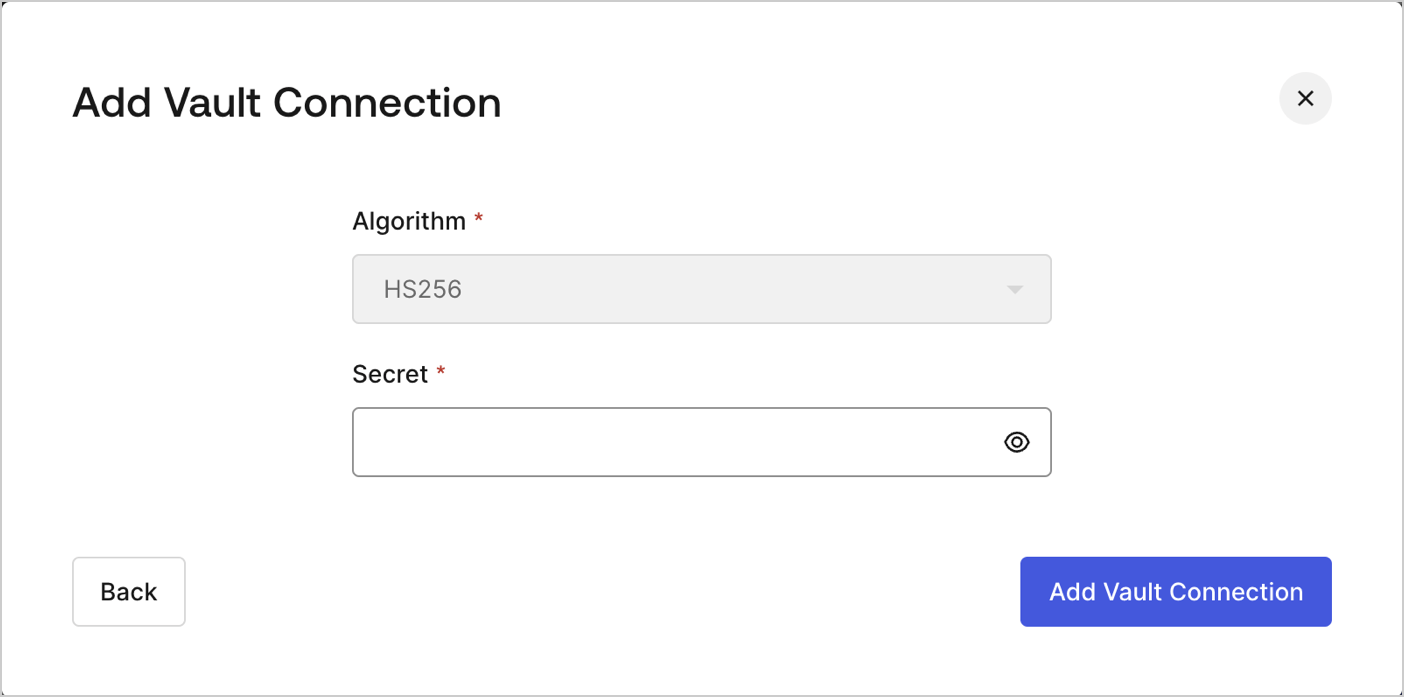
To configure an JWT Vault Connection for your Flows JWT Actions to sign, decode, and verify JSON Web Tokens, you need to set the required parameters.
<Frame>
  <img src="https://mintcdn.com/docs-dev-feat-docs-5540/8UEyFhPPpk6E8-p4/docs/images/customize/forms/vaults/jwt-vault-connection.png?fit=max&auto=format&n=8UEyFhPPpk6E8-p4&q=85&s=3b435a0a4c1f7a21199e8e6134fb008b" alt="Dashboard > Actions > Forms > Vault > JWT" data-og-width="1404" width="1404" data-og-height="697" height="697" data-path="docs/images/customize/forms/vaults/jwt-vault-connection.png" data-optimize="true" data-opv="3" srcset="https://mintcdn.com/docs-dev-feat-docs-5540/8UEyFhPPpk6E8-p4/docs/images/customize/forms/vaults/jwt-vault-connection.png?w=280&fit=max&auto=format&n=8UEyFhPPpk6E8-p4&q=85&s=4212595093fcd947cc60266308217a57 280w, https://mintcdn.com/docs-dev-feat-docs-5540/8UEyFhPPpk6E8-p4/docs/images/customize/forms/vaults/jwt-vault-connection.png?w=560&fit=max&auto=format&n=8UEyFhPPpk6E8-p4&q=85&s=9a6234a060ff8498a22e3052d90c0819 560w, https://mintcdn.com/docs-dev-feat-docs-5540/8UEyFhPPpk6E8-p4/docs/images/customize/forms/vaults/jwt-vault-connection.png?w=840&fit=max&auto=format&n=8UEyFhPPpk6E8-p4&q=85&s=de10a566a29d86d8f551c5c37d37df15 840w, https://mintcdn.com/docs-dev-feat-docs-5540/8UEyFhPPpk6E8-p4/docs/images/customize/forms/vaults/jwt-vault-connection.png?w=1100&fit=max&auto=format&n=8UEyFhPPpk6E8-p4&q=85&s=0d1c39509e12515f6feaf94afc5d9eb7 1100w, https://mintcdn.com/docs-dev-feat-docs-5540/8UEyFhPPpk6E8-p4/docs/images/customize/forms/vaults/jwt-vault-connection.png?w=1650&fit=max&auto=format&n=8UEyFhPPpk6E8-p4&q=85&s=5511ef77ad0fa7537175684d278345e5 1650w, https://mintcdn.com/docs-dev-feat-docs-5540/8UEyFhPPpk6E8-p4/docs/images/customize/forms/vaults/jwt-vault-connection.png?w=2500&fit=max&auto=format&n=8UEyFhPPpk6E8-p4&q=85&s=fe55902690bbe850860b914f68649458 2500w" />
</Frame>

## Input settings

| Parameter | Description                                                 |
| --------- | ----------------------------------------------------------- |
| Secret    | Secret to be used in the HS256 algorithm to encode the JWT. |
